

The Most Advanced Dryer Controls in the Grain Drying Business
As the “brain” of a Shivvers system, our Command Center control units deliver precision control and automated set-it-and-forget-it operation. You’ll have enough surge capacity for your drying system to run 24 hours a day, 7 days a week. With the peace of mind that your command center is managing every aspect of the grain-drying process, you can concentrate your efforts on the harvest.
Shivvers offers three state-of-the-art Command Center options, including the Premier®, CompuDry TS and CompuDry® Command Centers. Each delivers fully automated – unattended – control of grain drying operations from one location. Unrivaled computer precision combined with the unique Counter-Flow operation allow operators to dry a variety of crops, including corn, wheat, canola, soybeans, rye and more.

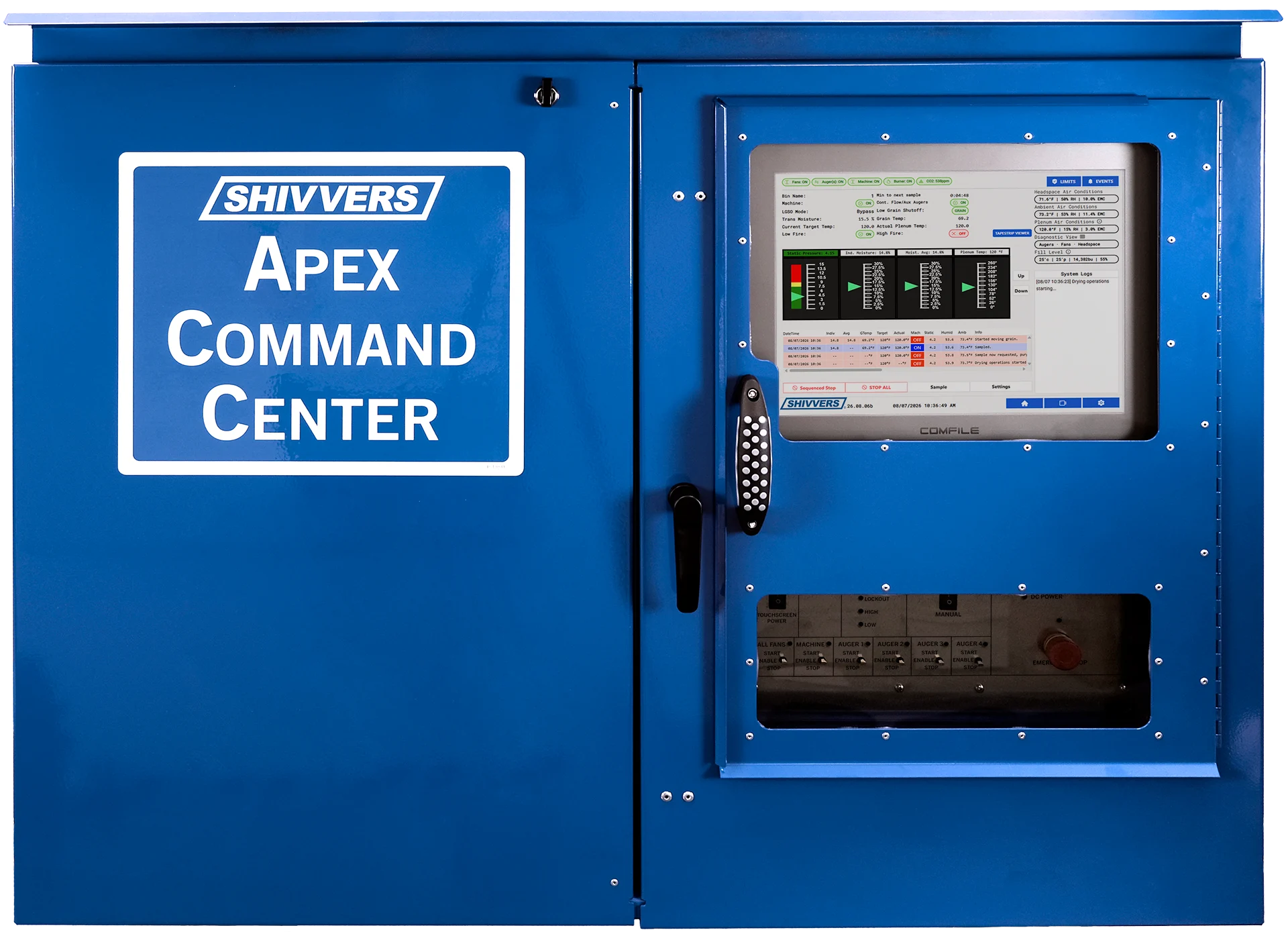
NEW For Circu-Lator & Dri-Flo systems
Apex™ Command Center
THE NEXT GENERATION OF SHIVVERS DRYER CONTROL.
The Apex does everything you trust a Shivvers Command Center to do: set-it-and-forget-it counter-flow drying, automatic overdry prevention, and 24/7 operation without babysitting the dryer. It builds on that with new ways to use your drying bin, sharper monitoring and diagnostics, and remote access that keeps you and your dealer connected. It’s available for both Circu-Lator and Dri-Flo systems.
MORE FROM YOUR DRYING SYSTEM
BEYOND THE DRYER
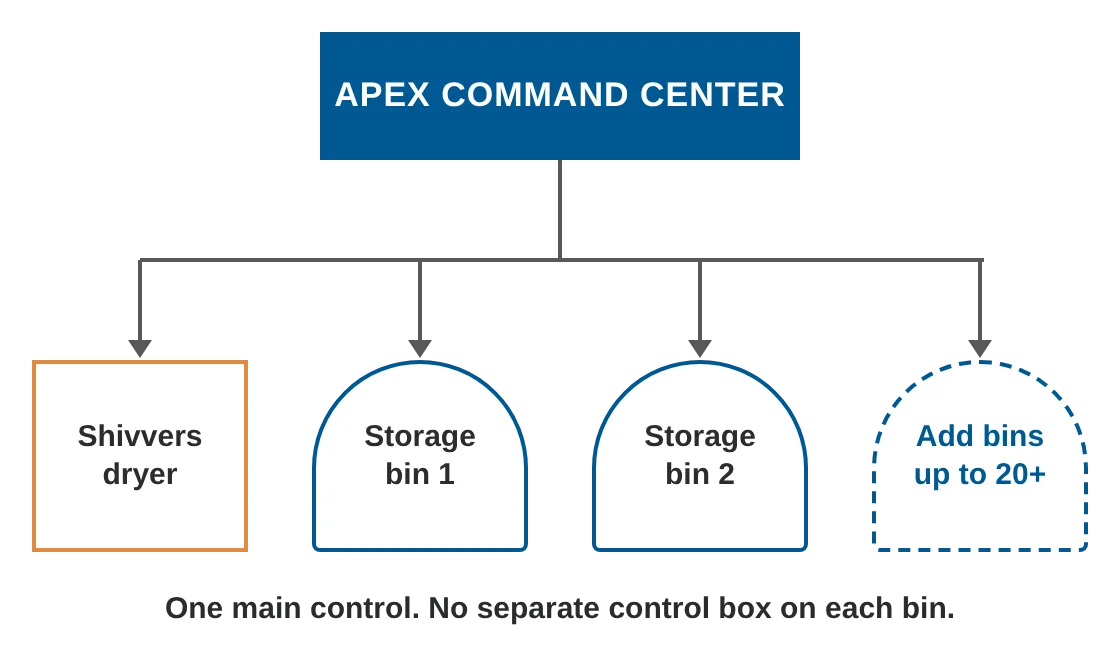
One control for your whole bin site. Most dryer controls stop at the dryer. Most grain bin monitoring systems need a separate main control box on every bin. The Apex does both. It can also manage a fleet of 20+ storage bins equipped with Shivvers Auto-Bin monitoring from the same control. Auto-Bin covers temperature and moisture cables, CO2 and grain level sensors, cameras and automated aeration fans. That means fewer control boxes, lower hardware costs as you add bins, and alerts on hot spots and spoilage from the same dashboard as your dryer. The Apex can read most existing temperature and moisture cables, including many from other brands.
Expand at your own pace
Every Apex is ready for storage bin monitoring right out of the box. Add monitoring to your first storage bin downstream of the dryer whenever you’re ready. Then keep adding bins one at a time, a few each year, or across your whole site. Each new bin connects to the Apex you already have, with no extra main control box and no need to replace your Apex. Your bin site grows with your operation and your budget.
Premier® Command Center
Want total control at your fingertips? Enter your desired drying settings step-by-step and let the Shivvers Premier Command Center do the rest.
The Premier Command Center provides more than just comprehensive, automated control over the drying process. It also allows the operator to have control over cooling fans in storage bins from one central location for greater storage functionality. The on-unit touchscreen display enables you to easily monitor drying and storage conditions such as the ambient weather or relative humidity.
Your Premier Command Center will be preconfigured to connect with the Shivvers Link Remote Management System, allowing remote access to your drying operation anytime, anywhere.


CompuDry TS Command Center
Following the success of the CompuDry and Premier Command Centers comes another innovation: Meet the CompuDry TS—or CompuDry Touchscreen!
Combining the functionality of the CompuDry with the Premier’s user-friendly touchscreen, CompuDry TS is designed for farmers looking for maximum control at value prices.
Like the Premier, the CompuDry TS features an on-bin dashboard to view current and historical drying diagnostics. Digital technology provides touchscreen control, including on-screen guided startup and up to nine pre-programmed grain profiles. The CompuDry TS also features optional add-on capabilities to monitor Static Pressure, Link Remote Management and On-Site Weather Information.
CompuDry® Command Center
The CompuDry Command Center provides comprehensive management over your Shivvers system via reliable analog controls. Just set your desired drying specifications and get back to harvest, the CompuDry’s set-it-and-forget-it technology does the rest.
Diagnostics can be viewed on a printed ticker tape, while analog dials and switches allow for adjustments. When grain reaches your pre-set drying specifications, the CompuDry automatically engages continuous-flow operation and dried grain is moved to your desired storage location.
While Shivvers Link Remote Management functionality is not standard on CompuDry Command Centers, it can be retrofitted—allowing you to monitor drying conditions from anywhere.

Command Center Upgrades

Convert TS Command Center Upgrade
For producers with a CompuDry looking for more functionality, Shivvers offers the Convert TS Command Center touchscreen upgrade. Integration with an existing CompuDry provides the same touchscreen controls and features included in the CompuDry TS. This upgrade also unlocks remote monitoring and control capabilities when paired with a Link subscription.

Narrow Command Center Upgrade
Dryer control systems introduced prior to CompuDry are eligible for an upgrade with the Narrow Command Center to match the CompuDry management system. Ask your dealer how this upgrade matches the functionality of your CompuDry management system.
Remote Management Capabilities
Control over your grain bins doesn’t have to stop just because you’re off-site. That’s why we’ve developed the Shivvers Link Remote Grain Management System. Manage your drying operation from anywhere by logging on to your MyShivvers.com portal. As long as you have internet access and a smartphone, PC or tablet, you can take advantage of the ultimate “No Babysitting” experience.
In fact, did you know that both the Premier and CompuDry Command Centers offer Link Remote Management capabilities? While Link-enabled CompuDry systems provide remote monitoring of the drying system, you can upgrade to remote management functionality with the Premier Command Center.

